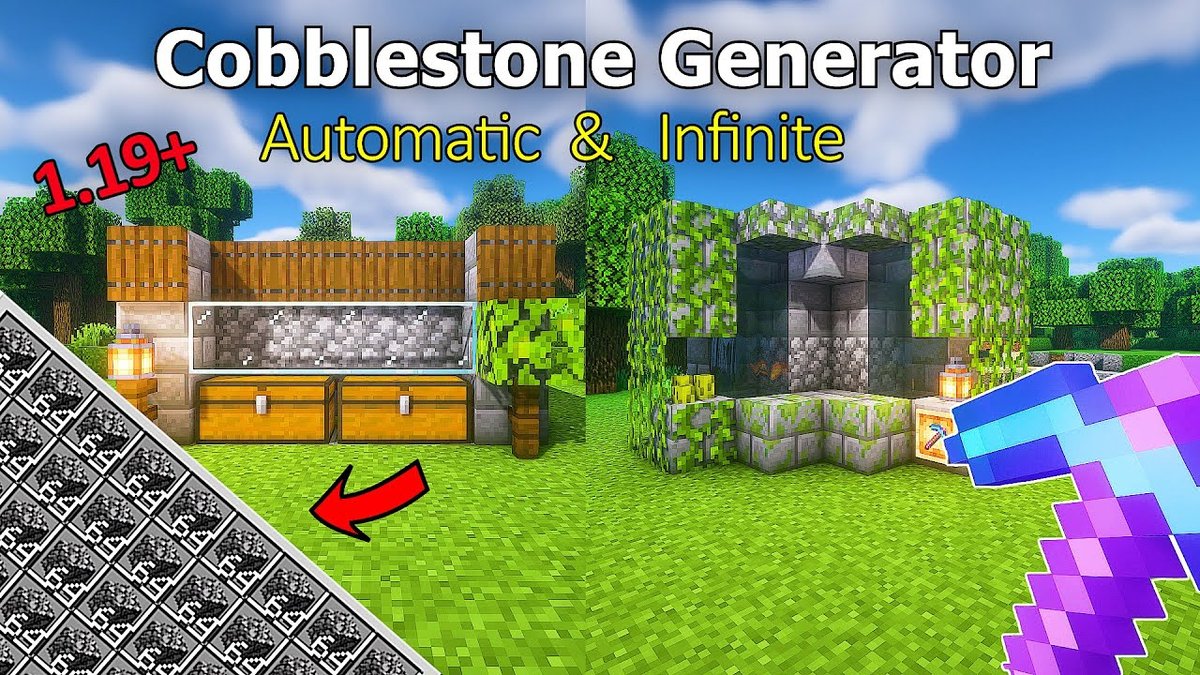
In the vast, blocky world of Minecraft, resources are everything. You dig, you mine, you craft—but what if you could have an infinite supply of one of the most fundamental building blocks? That's where Simple & Starter Cobblestone Generator Designs come in, turning a finite world into one of endless possibility for construction and crafting. Whether you're marooned on a Skyblock island with minimal resources or just looking to automate your survival world, understanding how to generate cobblestone (and sometimes stone) is a game-changer. It's not just about efficiency; it's about empowerment.
Consider this your essential guide to building your first few cobblestone generators, designed to get you mining smarter, not harder.
At a Glance: Your Cobblestone Generator Starter Pack
- Infinite Resources: Cobblestone generators provide an endless supply of a fundamental building and crafting material.
- Simple Magic: They work by manipulating the interaction between lava and water.
- Variety is Key: Designs range from super-basic (just two buckets) to semi-automated with pistons and redstone.
- Early Game Essential: Crucial for Skyblock, End exploration, and expanding your first base.
- Choose Your Path: Select a design based on your available resources and desired level of automation.
The Elemental Dance: How Cobblestone (and Stone) Appears
At the heart of every cobblestone generator lies a fascinating interaction between two opposing forces: water and lava. Understanding this dynamic is key to successful construction.
- Water over Lava: If flowing water touches a still lava source block, the result is Obsidian. This is valuable for nether portals but not our goal here.
- Lava over Water: If flowing lava touches a still water source block, it produces Stone blocks. These can be invaluable themselves, especially if you have a Silk Touch pickaxe.
- The Sweet Spot: Flowing Lava + Flowing Water: The magic happens when flowing lava and flowing water meet. This creates Cobblestone. This is the principle we'll exploit for our generators.
Why are these generators so crucial? Imagine a Skyblock map, where resources are incredibly scarce. An infinite cobblestone source means infinite furnaces, tools, structures, and even pathways to new islands. In a regular survival world, it means never having to strip-mine again just for basic building blocks, freeing you up for more exciting adventures.
Design 1: The Bare Bones Cobblestone Generator (Easiest Start)
Every journey begins with a single step, and for cobblestone generation, this is it. This design is incredibly simple, requires minimal resources, and can be built almost anywhere. It's the perfect choice for your very first moments in a new world or a challenging map like Skyblock.
What You'll Need:
- 1 Water Bucket (or an ice block that you can melt)
- 1 Lava Bucket
- A surface to dig into (dirt, stone, grass, etc.)
Building Your First Generator: Step-by-Step
- Dig the Trench: Find a flat surface. Dig a 4-block long, 1-block wide, and 1-block deep hole. Think of it as a small, straight ditch.
- Make the Source Spot: In this trench, break the second block from one end. This creates a slightly deeper hole, 2 blocks deep at that specific point. This is where your cobblestone will generate.
- Place the Water: Go to the end of the trench closer to the 2-block deep hole. Place your water bucket in that end block. The water will flow towards the deeper hole.
- Place the Lava: Now, go to the opposite end of the trench, 2 blocks away from the deeper hole. Place your lava bucket in that end block. The lava will flow towards the deeper hole, meeting the water.
How It Works:
As the flowing water and flowing lava meet in that 2-block deep spot, a cobblestone block will instantly appear. Mine it, and a new one will regenerate almost immediately. This allows for continuous mining.
A Quick Caveat:
This basic design is fantastic for getting started, but it's not the most efficient. Sometimes, a mined cobblestone block might fall into the lava and be destroyed before you can pick it up. This leads us to our next simple upgrade.
Design 2: The Hopper-Enhanced Starter Generator (Reducing Loss)
Building on the basic design, incorporating a hopper is a small change that makes a big difference in item collection, preventing valuable cobblestone from being lost forever in a pool of lava.
What You'll Need:
- All items from Design 1
- 1 Hopper
- 1 Chest (optional, but highly recommended for storage)
Building It Better:
- Start with Design 1: Build the basic 4-block long generator as described above.
- Integrate the Hopper: Instead of just having the 2-block deep hole for cobblestone generation, you'll modify it slightly.
- Dig one more block down directly beneath where the cobblestone generates.
- Place a chest directly underneath that new block.
- Place a hopper on top of the chest, making sure the hopper is "pointing" into the chest (shift-click to place the hopper on the chest).
- Now, ensure the cobblestone generates directly above the hopper. You might need to adjust the surrounding blocks to make sure the lava and water flow correctly into that specific spot.
The Advantage:
Any cobblestone block you mine will now instantly fall into the hopper, which then funnels it into the chest. No more worrying about losing precious resources! This small addition dramatically improves the long-term efficiency of your starter generator.
Design 3: The Workhorse – Popular Generator with a Collection System
When you're ready for something a bit more robust and efficient, this popular design steps up. It's slightly more complex than the two-bucket hole but offers a much better collection system and is highly reliable. This is often the go-to for players moving beyond the absolute basics.
What You'll Need:
- 2 Water Buckets
- 1 Lava Bucket
- 5 Inflammable Stairs (any stair type that won't burn, like cobblestone, stone brick, or quartz)
- Solid Blocks (a stack or two of inflammable material)
- 5 Hoppers
- 2 Chests (for a double chest)
- 1 Sign
Building a More Efficient Farm (Condensed Steps):
- Set Up Storage: Dig a 1x2 hole in the ground. Place your two chests side-by-side to form a double chest.
- Connect Hoppers: Place five hoppers in a row, ensuring one end hopper connects directly into your double chest. The others will connect into each other, forming a line extending away from the chest.
- (Tip: To place a hopper into another block like a chest, crouch (shift-click) while placing.)
- Create the Base: Surround the hoppers and the chest with solid, inflammable blocks. This creates a rectangular base around your collection system.
- Add Waterlogging: Place your five inflammable stairs on top of the solid blocks, directly above the hoppers. Make sure they are placed so the "step" part faces inward.
- Second Layer of Walls: Place another layer of solid blocks on top of your first layer of blocks, extending the walls upwards.
- Sign Post: Place a sign directly above the chest (at player head height). This sign will prevent the water from flowing into the chest, guiding it into the stairs instead.
- Waterlog the Stairs: Now, place your two water buckets into the waterloggable stairs. The water should flow into the stairs and spread.
- Third Layer and Lava: Add a third layer of solid blocks above the stairs, the second layer of walls, and the sign. This creates the final enclosure. Then, place your lava bucket one block above the flowing water, right in the center.
How to Use It:
Once constructed, stand on the double chest. You'll see stone blocks continually generating in front of you. Mine these blocks with your pickaxe. Because of the waterlogged stairs and hoppers, all collected items will be swiftly directed into your double chest, ready for use.
- For Cobblestone: Use a pickaxe enchanted with Fortune to maximize your cobblestone yield.
- For Stone: Use a pickaxe enchanted with Silk Touch to get the actual stone blocks.
This design strikes a fantastic balance between resource cost and efficiency, making it an excellent step up for any player. If you're looking for an in-depth visual guide on how to make a cobble generator with detailed instructions, there are many community resources that can help. Building a reliable cobble generator like this one can truly streamline your resource gathering.
Design 4: Automated (Just a Bit): Piston-Powered Generators
Ready to introduce some Redstone magic? Piston-based cobblestone generators offer a significant leap in efficiency by pushing generated blocks towards you, creating a compact mining area and allowing for even faster output. While not "fully" automated, they greatly reduce the effort of chasing blocks.
What You'll Need:
- 2 Water Buckets
- 1 Lava Bucket
- 8 Pistons (normal, non-sticky)
- 2 Redstone Torches
- 1 Redstone Repeater
- 11 Redstone Dust
- 5 Inflammable Stairs
- Solid Blocks (inflammable)
- 1 Lever
(Note: Redstone designs can vary slightly; some compact versions might use fewer repeaters or dust, but these are solid starter requirements.)
The Principles of Piston Power:
- Water and Lava Containment: Just like previous designs, you'll need a controlled environment where water and lava meet to form cobblestone/stone. Waterlogged stairs are often used here for precise flow.
- The Push: Pistons are positioned to push the newly generated blocks. They automatically extend when powered, pushing the block forward.
- Redstone Clock: To make the pistons work continuously and rapidly, you need a Redstone clock. This is a circuit that repeatedly turns itself on and off. A common starter clock uses repeaters set to their maximum delay, creating a pulsing signal.
- Push Limits: Pistons can push up to 12 blocks at once. They cannot push bedrock, obsidian, chests, signs, or dispensers. This is crucial for planning your design and ensuring it doesn't jam.
Key Construction Ideas (Conceptual):
- You'll build your basic water/lava generation point.
- Behind this, you'll place pistons facing the generated block.
- A Redstone circuit will connect to these pistons. Often, this involves a "clock" circuit (e.g., a repeater loop or a rapidly pulsing signal) that repeatedly powers the pistons.
- A lever allows you to turn the entire system on and off.
- As blocks generate, the pistons will push them into a collection trench or directly towards your mining spot.
Troubleshooting & Maintenance Tips:
- Lag & Jams: Piston generators can occasionally lag or jam if you mine too quickly or if the pistons reach their push limit (12 blocks).
- Diagnosis: If blocks stop generating, check your Redstone clock to ensure it's still cycling. If it is, the problem might be an obstruction or the push limit.
- Prevention: Mine at a steady pace, or incorporate an auto-mining system (more advanced). Don't let too many blocks build up.
- Initial Cobblestone, Then Stone: This is usually due to the lava and water interaction. Double-check your flow. If stone is preferred, this isn't an issue!
- No Block Generation: Ensure your water container is clear and unobstructed.
- Stopping the Machine: Placing a sign directly in front of a piston's path will stop it, as pistons cannot push signs. This can be a quick emergency stop.
- Restarting: Sometimes, a circuit needs a "kickstart." Try breaking a piece of Redstone dust near the lever, waiting a moment, replacing it, and then quickly double-clicking the lever.
- Protection: Place signs or unpushable blocks strategically within your Redstone circuitry to prevent lava from destroying components if its container breaks (though lava shouldn't flow onto redstone in a properly built generator).
Piston-based generators are reliable workhorses. They require a bit more material and understanding of Redstone, but the payoff in speed and convenience is well worth the effort for a mid-game player.
A Glimpse into the Future: Fully Automated Generators (Not for Starters)
While this article focuses on simple and starter designs, it's worth knowing that the rabbit hole goes much, much deeper. For the truly ambitious (and resource-rich), there are fully automated cobblestone generators capable of producing vast quantities of blocks without any player intervention.
These mega-farms often involve:
- Complex Generator Modules: Utilizing sticky pistons, observers, and specific block placements to generate and pull blocks efficiently.
- TNT Dupers: These ingenious (and somewhat game-breaking) mechanisms duplicate primed TNT entities, allowing for automated destruction and collection of the generated blocks. They involve slime blocks, rails, minecarts, and even dead coral fans.
- Etho Hopper Clocks: Sophisticated Redstone timers using hoppers, comparators, and sticky pistons to precisely time the TNT explosions and block generation.
- Advanced Collection Systems: Huge obsidian platforms with water channels, numerous hoppers, and massive chest arrays to collect everything.
Why it's not a starter design: These machines are incredibly complex, resource-intensive, and require a deep understanding of Minecraft mechanics. They can also malfunction spectacularly if not built perfectly, potentially destroying your lava source or entire sections of the farm. If you're just starting, stick to the simpler designs. But keep this in mind as something to aspire to!
Choosing Your Starter Generator: A Quick Decision Guide
Deciding which generator to build first depends on your current situation in Minecraft.
| Feature | Basic (Design 1) | Hopper-Enhanced (Design 2) | Popular (Design 3) | Piston-Based (Design 4) |
|---|---|---|---|---|
| Resources Needed | Very Low (2 buckets) | Low (2 buckets + 1 hopper/chest) | Moderate (many blocks, hoppers, stairs) | Moderate-High (pistons, redstone, blocks) |
| Complexity | Very Easy | Easy | Moderate | Moderate-High (Redstone logic) |
| Automation Level | None (manual mining, manual collection) | Manual mining, auto-collection | Manual mining, auto-collection | Semi-automated (blocks pushed, manual mine) |
| Efficiency | Low (potential block loss) | Medium (no block loss, manual mining) | High (efficient collection, compact mining) | Very High (fast generation, block grouping) |
| Best For... | First few minutes, Skyblock start | Slightly better starter, basic resource gen | Reliable mid-game, general resource farming | Faster mid-late game, focused resource gen |
Common Questions & Quick Answers for Aspiring Builders
Even with simple designs, things can sometimes go sideways. Here are answers to common beginner questions:
- "Why is my generator making obsidian instead of cobblestone?"
You've likely placed flowing water over a still lava source block. Remember, for cobblestone, you need flowing water and flowing lava to meet. For stone, you need flowing lava over a still water source. - "My generator is making stone, but I want cobblestone!"
This usually happens when flowing lava touches a still water source. To get cobblestone, ensure both the lava and water are flowing when they meet. Alternatively, if you're getting stone, mine it with a pickaxe without Silk Touch (just a regular pickaxe) to turn it into cobblestone. If you want more cobblestone from stone, use a Fortune-enchanted pickaxe. - "My lava keeps disappearing!"
In most simple designs, this shouldn't happen unless something actively destroys the source block. In piston-based generators, if pistons repeatedly push a block into the lava source, it can break the source. For very advanced TNT duping farms, a malfunction can also delete the lava. Just replace it. - "I'm losing too many blocks to the lava!"
This is the exact problem the hopper-enhanced design (Design 2) solves. Integrate a hopper directly beneath the generation point to collect all mined blocks before they can fall into the lava. - "Can I build these in the Nether or End?"
Yes! Cobblestone generators are particularly useful in the End where resources are limited. Just be mindful of surrounding materials—lava can set fire to many blocks, so use inflammable ones.
Beyond the Basics: Optimizing Your Setup
Once you've mastered these simple & starter cobblestone generator designs, you can look forward to even more efficiency:
- Enchantments are Your Friend: A Fortune pickaxe significantly increases the amount of cobblestone you get per block mined (from stone blocks). A Silk Touch pickaxe lets you collect the actual stone blocks for crafting or building.
- Expand Your Storage: As your generator churns out blocks, you'll need ample storage. Connect multiple chests via more hoppers or set up automated item sorters for truly massive farms.
- Modular Design: You don't have to stop at one generator. Build several popular generators side-by-side or stacked to multiply your output.
- Safety First: Always use inflammable blocks like stone, cobblestone, or netherrack around your lava sources. This prevents accidental fires that could destroy your base or spread uncontrolled.
Building your first cobblestone generator is a rite of passage in Minecraft. It teaches you basic resource management, elemental interactions, and even a touch of Redstone. Start simple, understand the mechanics, and before you know it, you'll be swimming in cobblestone, ready to build anything your blocky heart desires. Happy mining!